
 Search
 +371 6727 1803


Mapon updates
A busy month for Mapon! Let’s see what happened in October.
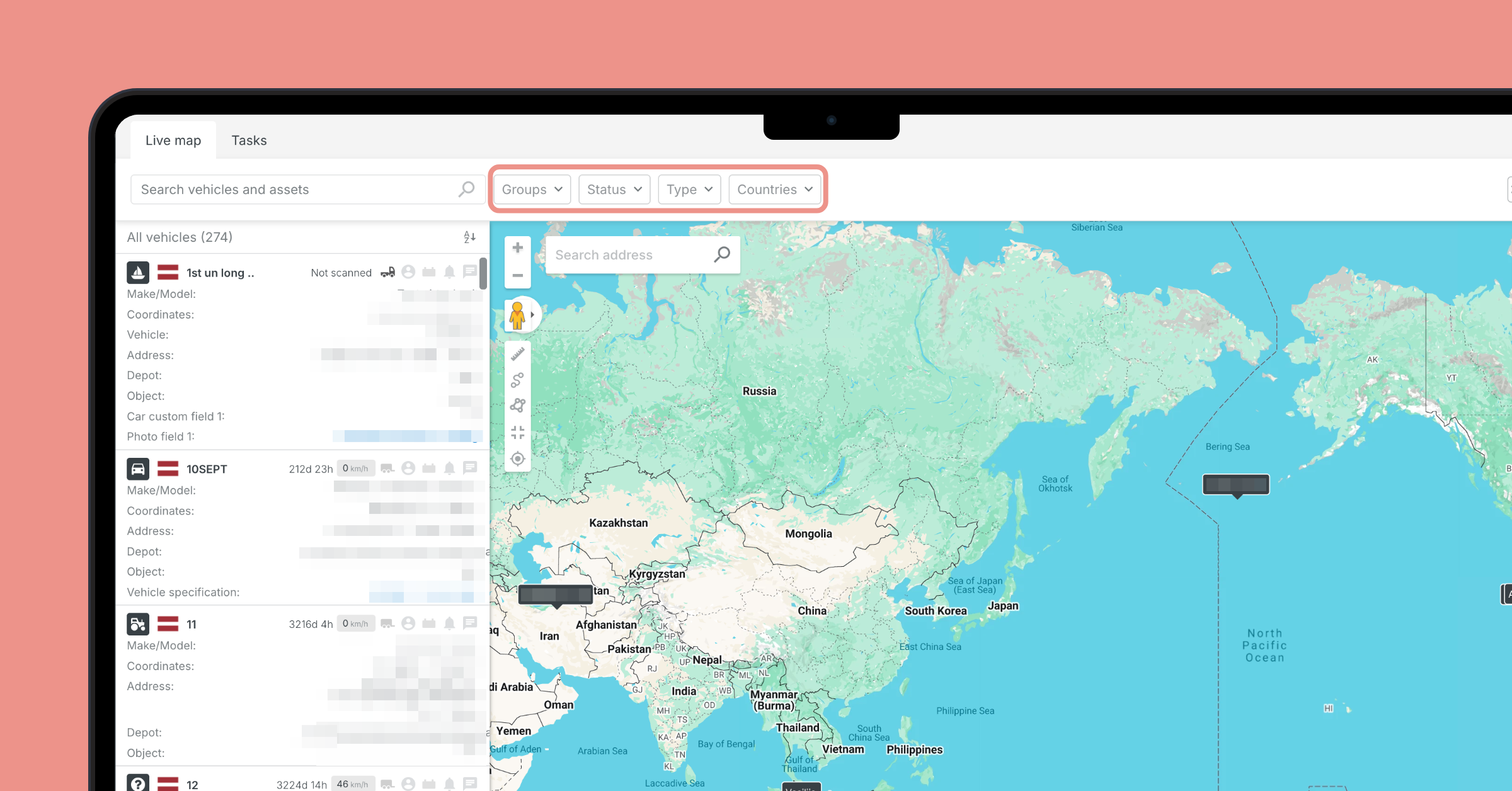
Updated filters for the Map section
-
Filters and map settings have been moved to a horizontal bar above the map.
-
You can select multiple items when using any filter.
-
Recent searches are saved and are reusable.
Next generation Task and Route planning tool
Go to the Map -> Tasks section to explore Mapon’s route planner. Here are the highlights:
-
You can plan routes that take various aspects into account, including vehicle weight and dimensions, tolls, as well as restricted roads.
-
System supports adding ferry routes with reliable ETAs.
-
Create the task, route, and instructions in the Mapon platform, then send it all to the driver via the Mapon Driver app.
-
You can connect your TMS to the solution using API, or use it as a standalone product.
Access to individual camera channels
Admin users can now restrict user access to individual camera channels. For example, a truck has road and cabin-facing cameras – admin can allow a manager to view only the road footage.
Camera information available in more sections
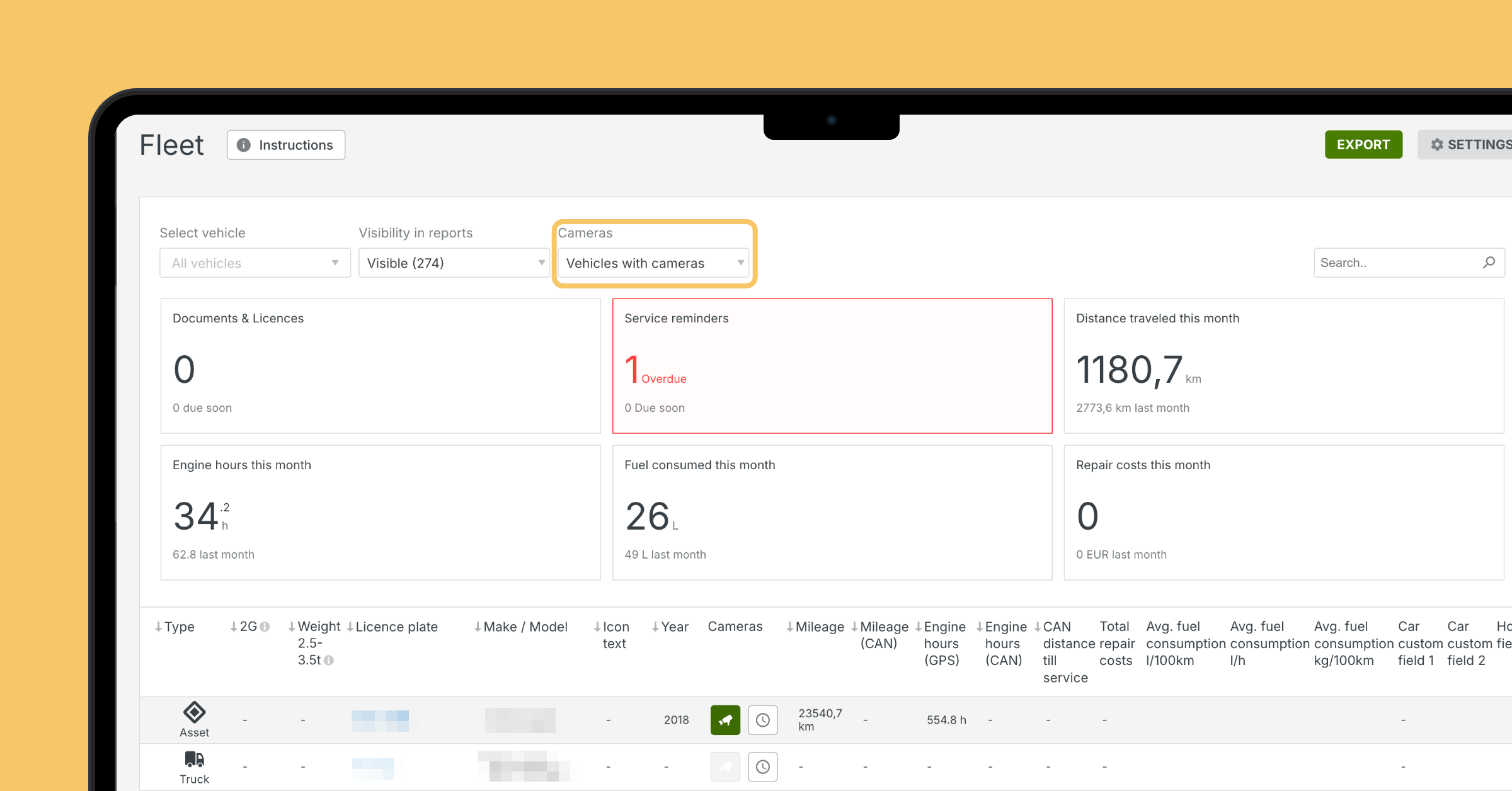
In Mapon platform’s Fleet section is a new column for cameras. There you can filter vehicles based on whether they have cameras, as well as watch the livestream.
Camera information is also available when you open a specific vehicle.
IDEM Telematics integration available
This integration provides near-realtime data from trailers with factory-installed devices. IDEM Telematics tracking hardware can be found in many of the leading trailer manufacturers’ products.
You can receive data that you configured with IDEM Telematics, such as location, temperature data, tyre pressure, and weight on axles.
Invalid tachograph files can be downloaded
In the Downloaded files section, you can manually download tachograph files regardless of condition – Valid, Warning, or Invalid.
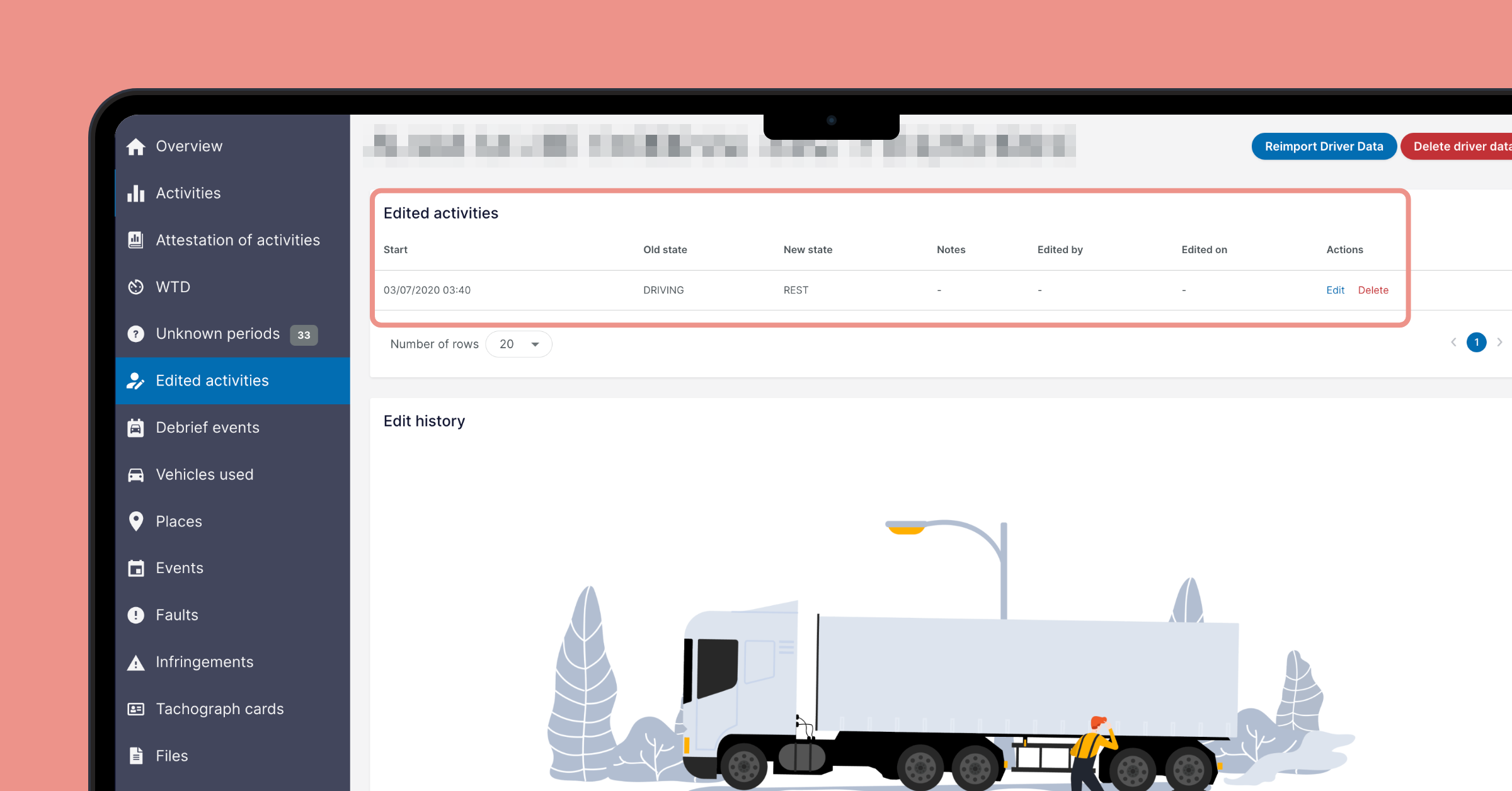
Tachogram: history for activity edits
Details about all activity edits will now be recorded, including what status was before and after editing, when the changes were done, and who did it. This information is available in Drivers -> Edited activities (new table called Edit history); in the Edit activity period screen; in Activities chart.
Tachogram app updates: iOS 3.17.0 and Android 1.24.0
-
We added the AI assistant TIA that can answer questions about your data and Tachogram in general.
-
Tachogram app supports new languages and you can change language without restarting the app.
Updated Invoices section
-
Credit invoice number is next to the invoice number it’s applied to.
-
Added new subsection Credit invoices with relevant status information.
-
Invoice payment window displays more detailed information: total sum, how much has already been paid, and what’s the remaining sum.
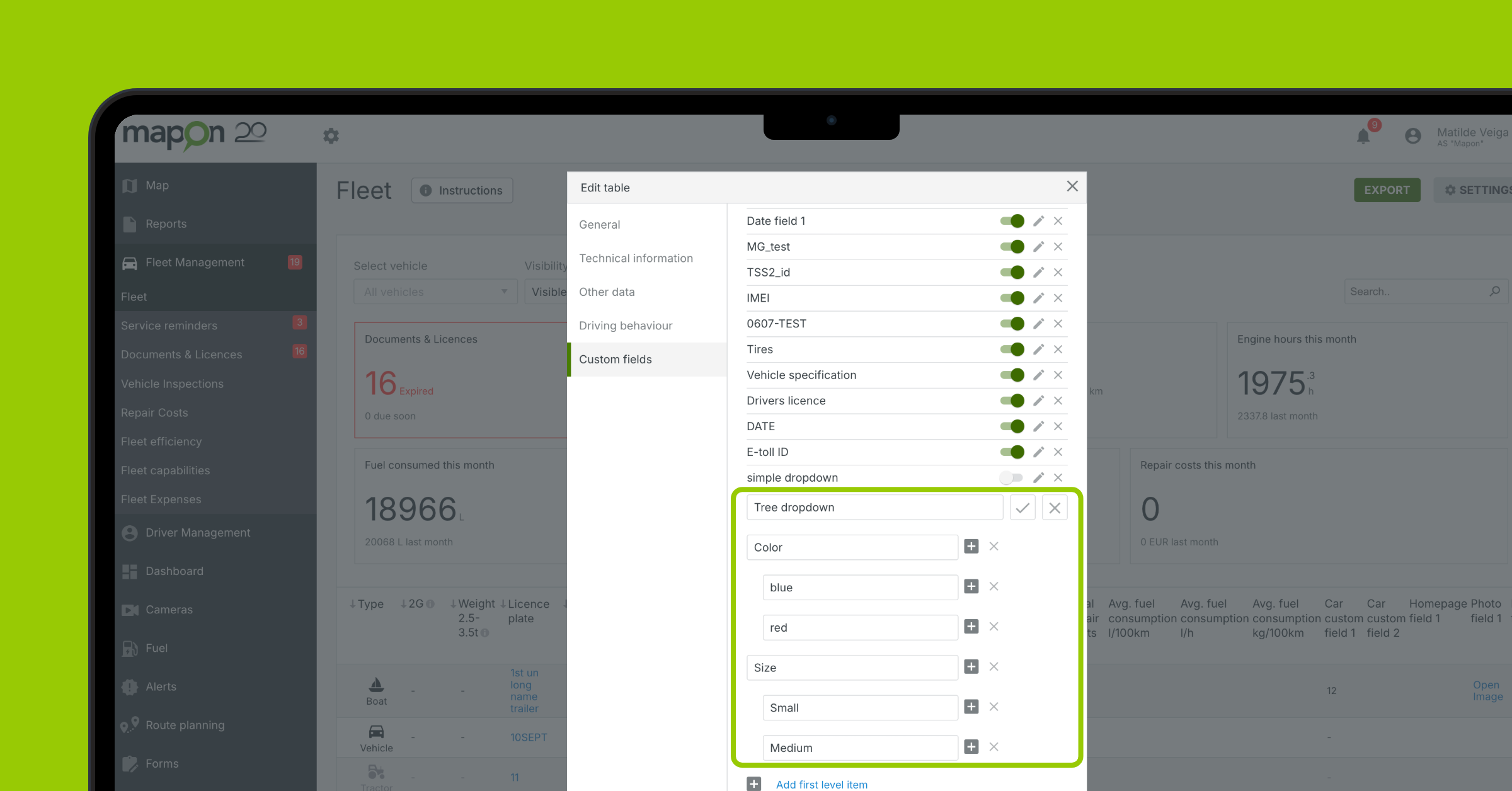
New custom field type: tree
This field lets you categorise your vehicles deeper by providing up to three category levels. For example, you can categorise vehicles like this:
-
Level 1 – Europe-based vehicles
-
Level 2 – Baltics-based vehicles
-
Level 3 – Latvia based vehicles
You choose how each category is called and which vehicles to assign to them.
From November 9 – only admins can manage Mapon API keys
Currently, any Mapon platform user can create and manage API keys in the Mapon platform. To improve data security, from November 9, only users with admin level access will be able to do it. Keys already made by other users will continue to function, but only an admin will be able to manage them.
Volkswagen Group integration capabilities per vehicle
The Volkswagen Group integration provides location data at various levels – Mapon can’t influence it. You can now use a new column Location capability to check what each vehicle can do: Live location (updates position regularly, and records the full route); Location at stops (updates position only when the vehicle stops and ignition is turned off); Empty (vehicle eligibility has not yet been confirmed).
 Back to all posts